I have been building with Lovable, and I have shipped real apps with it that people actually pay for. So this is not a 1-minute tour. This is a full Lovable review for 2026, written after months of using it almost every day, with the good, the annoying, and the parts where it quietly beats every other AI builder I have tried.
If you are trying to figure out whether Lovable is worth your time, your money, or your next side project, this should answer it without the marketing spin.
What Lovable promises (and what it actually delivers)
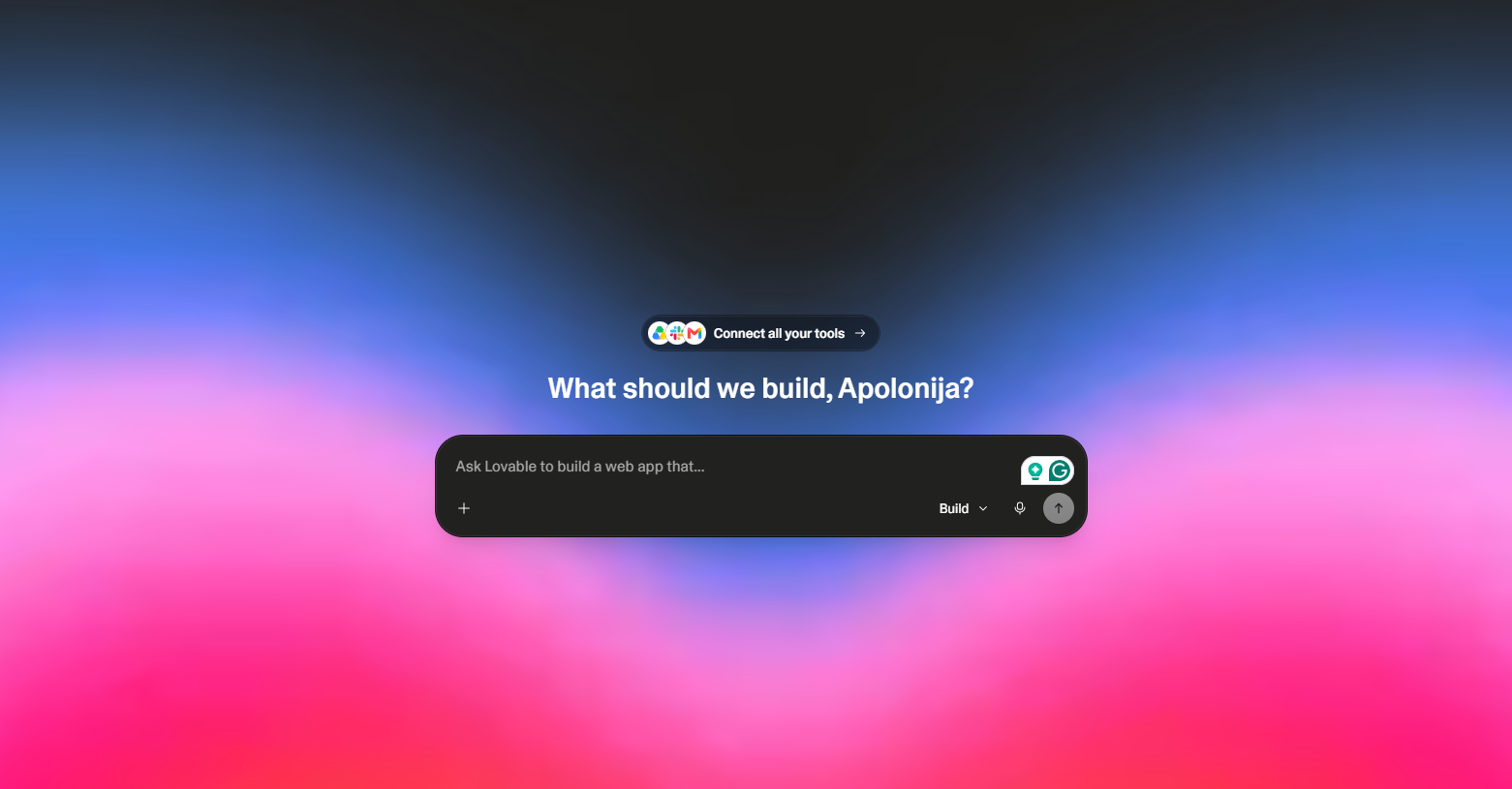
The pitch is simple: describe what you want in plain English (check here for the exact steps
👉 https://lovablecoding.com/how-to-build-an-app-with-ai#steps) and watch a real React app appear in a live preview, ship it to a real URL the same afternoon. No setup, no terminal, no Stack Overflow tabs. The chat panel sits on the left, the live preview on the right, and you iterate by talking.
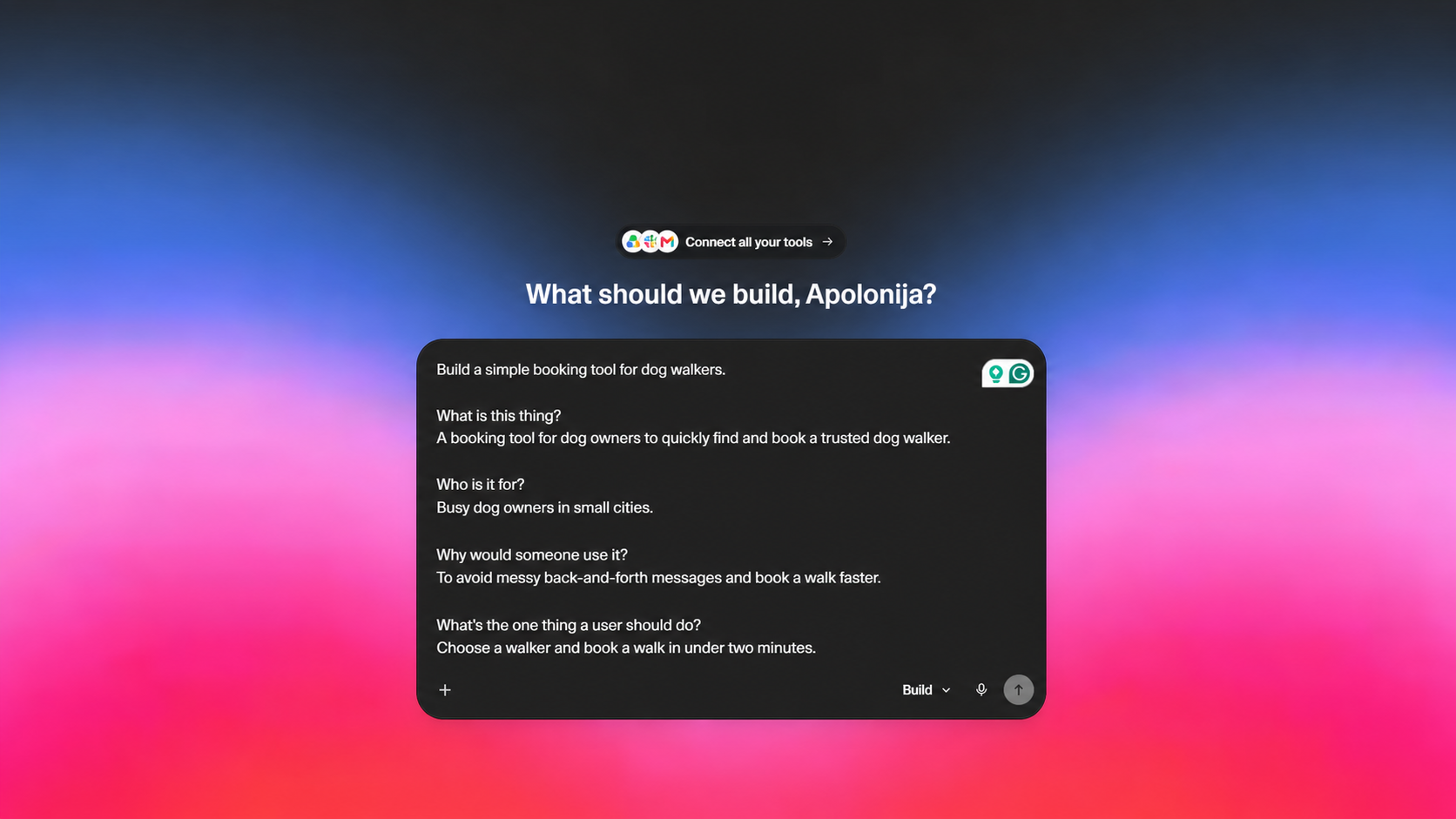
Does it deliver? Honestly, yes, more than I expected. The first run usually produces something that already looks like a real product, not a wireframe. Routing, styling, forms, auth, database, file uploads, payments, all reachable from chat. You can go from empty project to deployed app in an hour for simple use cases, and in a long evening for something with real data and accounts.
Where the pitch oversells slightly: complex business logic, niche integrations, and deep refactors still need patience and clear prompting. It is not magic. It is a very good collaborator that needs a clear brief.
What I built with it, plus illustrative use cases
The site you are reading, Christmas Countdown and ClearlyBraced (below) are real projects I shipped with Lovable. The other items in this list are illustrative use cases showing the kind of app Lovable is suited to, not documented client projects:
- A content hub with a CMS-style blog, the very site you are reading. File based routing, SEO metadata per page, a sitemap, structured data, and a comparison hub for AI tools.
- Illustrative: an internal dashboard for a small agency, with login, role based access, a clients table, invoices, and CSV export.
- Illustrative: a waitlist app with email capture and a referral system, connected to a database, with an admin view to see signups by source.
- Illustrative: a small SaaS prototype with Stripe, plans, checkout, a billing portal, and gated features.
One of those projects is Christmas Countdown, a small seasonal web app that counts down to Christmas with a clean, festive interface. It started as a weekend idea and turned into a fully working site with a custom domain, animated counter, and a mobile friendly layout. Lovable handled the layout, the date logic, and the responsive styling without me touching a config file.
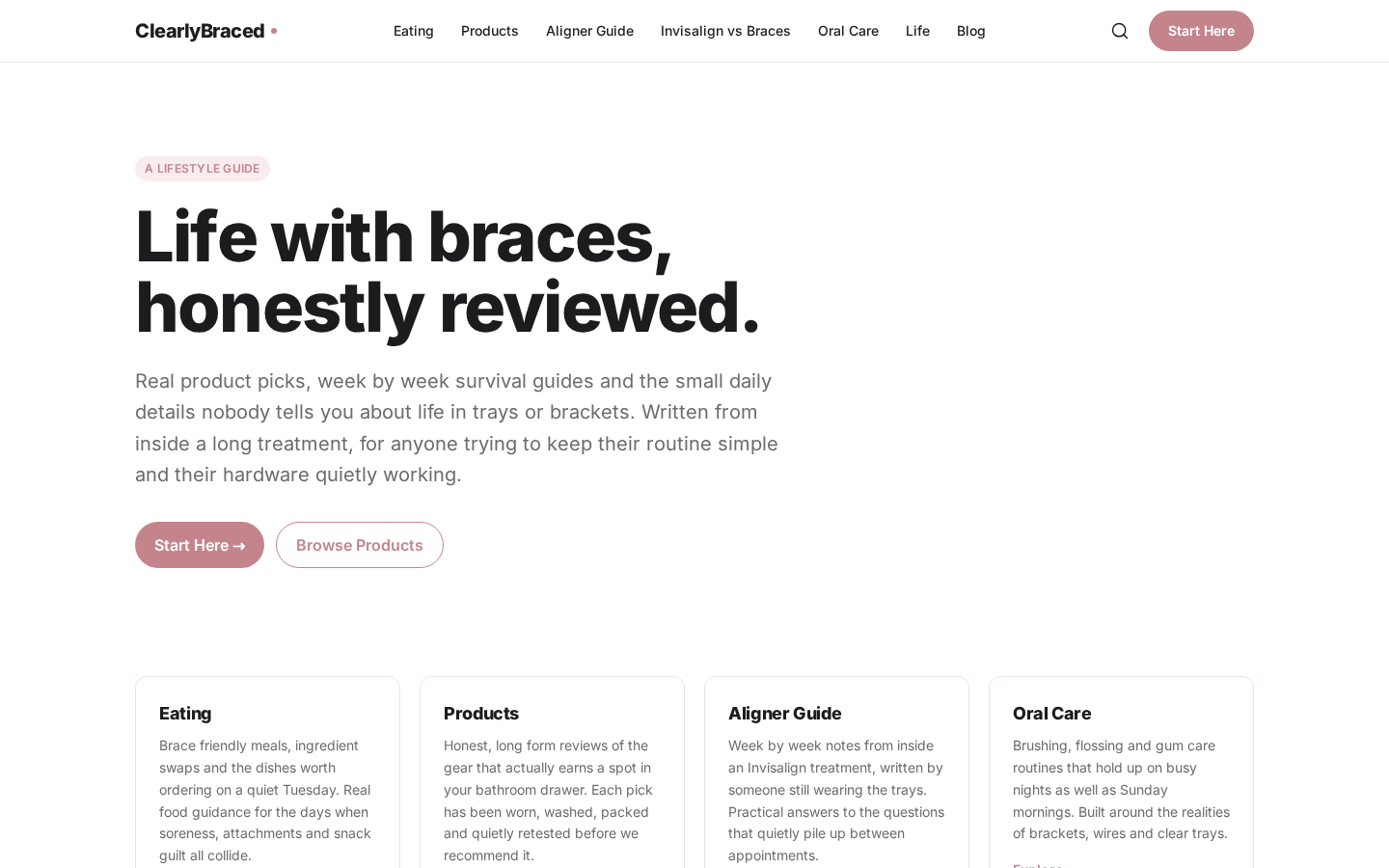
Another one is ClearlyBraced, an informational site about clear aligners and braces. It has structured content pages, an FAQ, internal linking, and SEO metadata per route. I used Lovable to build the structure, write the first content drafts with me, and ship the whole thing as a real site I can keep editing in plain English.
And the third is my personal hub, Apolonija Pajk Digital. It is where I collect my projects, writing, and links in one place, like a living portfolio. Lovable let me design it the way I actually wanted, with custom sections, smooth navigation, and room to grow as I ship more things.
None of these are throwaway. They have real users. The interesting part is how little glue code I wrote by hand. Most of the time was spent thinking about the product, not the plumbing.
Where Lovable genuinely beats everything else
I have tried Cursor, v0, Bolt, Replit Agent, and Claude Code. They all have their place. Here is where Lovable wins for me:
- Backend built in. Lovable gives you a project with routes, layout, state, backend and auth in one environment, without connecting separate providers.
- Live preview that actually reflects the truth. The preview is the real app, not a sandbox. When it works in preview, it works when published.
- Backend without the rabbit hole. Database, auth, storage, edge functions, and email all live one click away inside the same interface, with sane defaults and row level security.
- Publishing is one button. Custom domain, SSL, and a stable URL come out of the box. No deploy config, no DNS yak shaving.
- Non developers can finish things. This is the underrated one. I have watched founders, designers, and ops people ship real internal tools without ever opening the code.
Where it still falls short
The honest part. No tool is perfect, and pretending otherwise is how you waste credits.
- Very large refactors. Cross cutting changes that touch dozens of files can take several attempts. Breaking the task into small steps fixes most of this, but it is real friction.
- Niche libraries and exotic stacks. Lovable favours the modern React stack. If you need a specific obscure SDK, you may need to spell out the integration carefully or fall back to writing some code by hand.
- Pixel perfect design replication. If you paste a Figma and expect byte exact output, you will iterate. Brief it on tokens, spacing, and components instead.
- Cost surprises on heavy days. Build mode is usage based. If you spam long, complex prompts on a big codebase, credits move. Plan mode costs 1 credit per message, plus any additional subagent research costs, and is great for sketching scope before you build.
None of these are deal breakers, and all of them have workarounds. They are worth knowing up front so you do not blame the tool when the prompt was the issue.
Lovable pricing: Free vs Pro vs Business
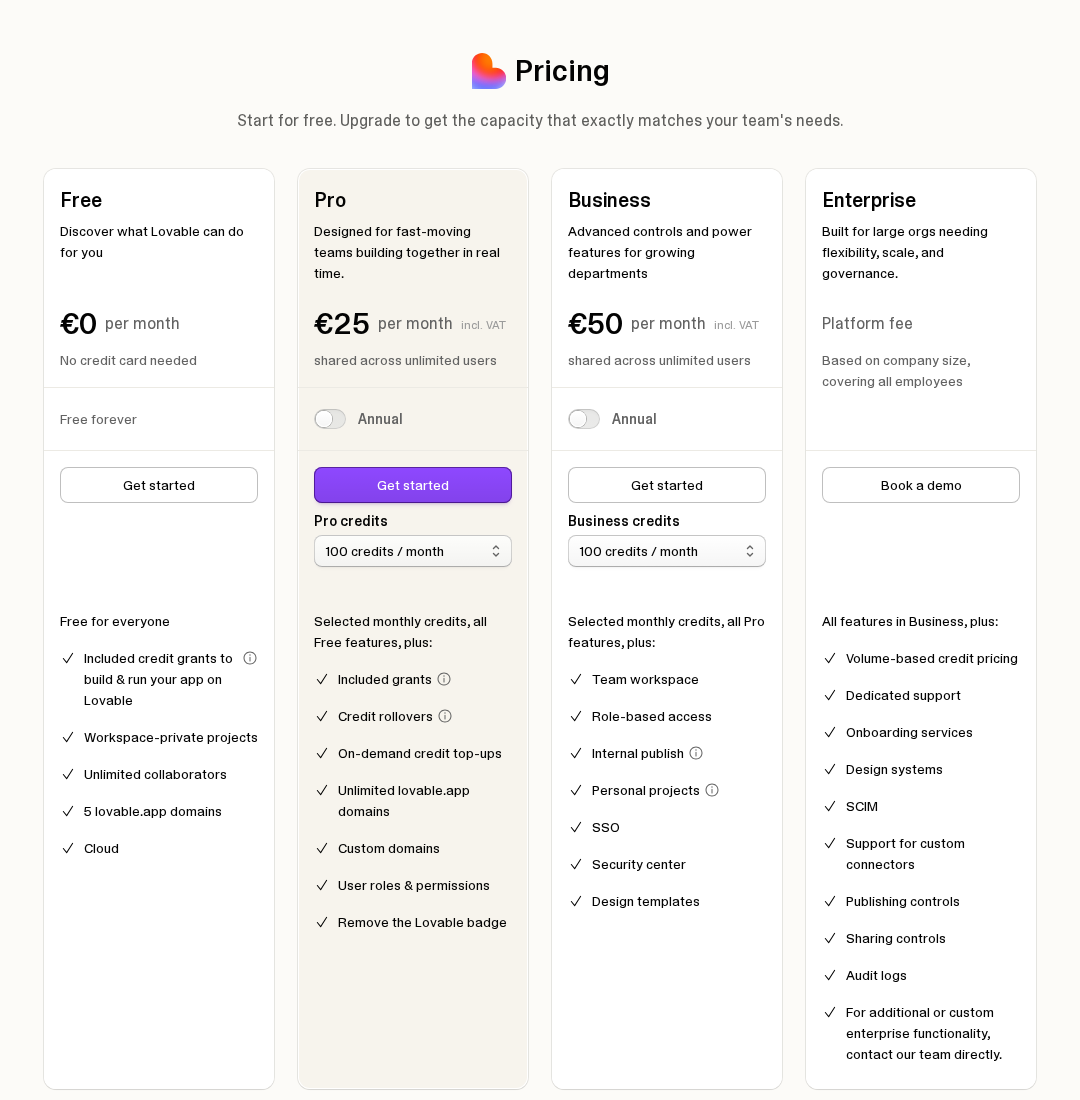
Lovable runs four plans: Free, Pro, Business, and Enterprise. Here is the practical breakdown of who each one is for, not the marketing page version.
Free
- 5 free credits a day, capped at 30 per month.
- Workspace private projects and Git sync are available. Lovable badge stays on.
- Great for trying it out, building a quick weekend prototype, or testing whether vibe coding fits how you think.
Pro
- The default paid plan, multiple credit tiers from 100 per month upward.
- Custom domains, manual code editing, option to remove the Lovable badge.
- This is the plan I actually use. If you are shipping anything you care about, or running a side project on your own domain, Pro pays for itself fast.
Business
- Built for teams: SSO, granular roles, member credit limits.
- Worth it once more than one or two people are building together, or when your company needs SSO for compliance reasons.
Enterprise
- For larger organisations with custom needs, talk to sales.
Is Pro worth it? For me, yes, easily. Pro costs less per year than a single small freelance project would, and the time saved compared with hand coding the same screens is not close. If you only build one app a year, stay on Free until you actually need a custom domain or extra credits.
Who should use Lovable (and who shouldn't)
Use Lovable if you are:
- A founder who wants a working MVP this week, not next quarter.
- A designer or PM who wants to ship internal tools without waiting on engineering.
- A developer who wants to skip boilerplate and get to the interesting parts.
- An agency or freelancer building client sites, landing pages, and dashboards.
- A non technical person who has an idea and is tired of waiting for permission.
Skip Lovable if you are:
- Building something that lives or dies on a specific native iOS or Android SDK. Lovable targets the web, not native mobile.
- Working in a strictly regulated environment that mandates a specific cloud, stack, or audit chain Lovable does not yet cover.
- Looking for a one shot magic box that needs zero thinking. You still need to brief it like a teammate.
Final verdict
A year in, Lovable is the tool I reach for first when I have a new idea. It is the fastest path from a sentence in my head to a real, working app on a real URL that I can hand to a real user. It is not perfect, and the credits do force you to think before you prompt, which honestly is not a bad thing.
If you have been on the fence, the Free plan costs nothing and lets you ship a real project this weekend. That is the only review that actually counts: try it on something real, then decide.
Want the wider landscape first? Compare it against the rest in the best vibe coding tools roundup, or read the step by step how to build an app with AI guide before you start.
Ready to try it? Try Lovable for free and ship something today.