Vibe Coding Hub
Template library

Lovable templates with copy paste prompts

Lovable does not have a template gallery you can click through. What actually works is a precise first prompt that names the screens, the data and the rules. These twelve blueprints are exactly that. Pick one, copy the prompt, paste it into a new Lovable project, and you get a working app in one pass instead of ten fix attempts.

How to use a template

Step 1

Start a fresh project

Templates assume an empty project. Pasting a full blueprint into an existing app usually causes conflicts with what is already there.

Step 2

Paste the whole prompt at once

Do not trim it. The screen list, the table list and the rules are what stop Lovable from guessing. Guessing is what costs you credits.

Step 3

Check the first build, then use the follow ups

Click through every screen before you ask for anything new. Each template has follow up prompts that add features one at a time.

New to this? Read how to build an app with AI first, then come back and pick a template. If you want shorter prompts for single features instead of whole apps, the vibe coding prompt library has 30 of them.

The 12 templates

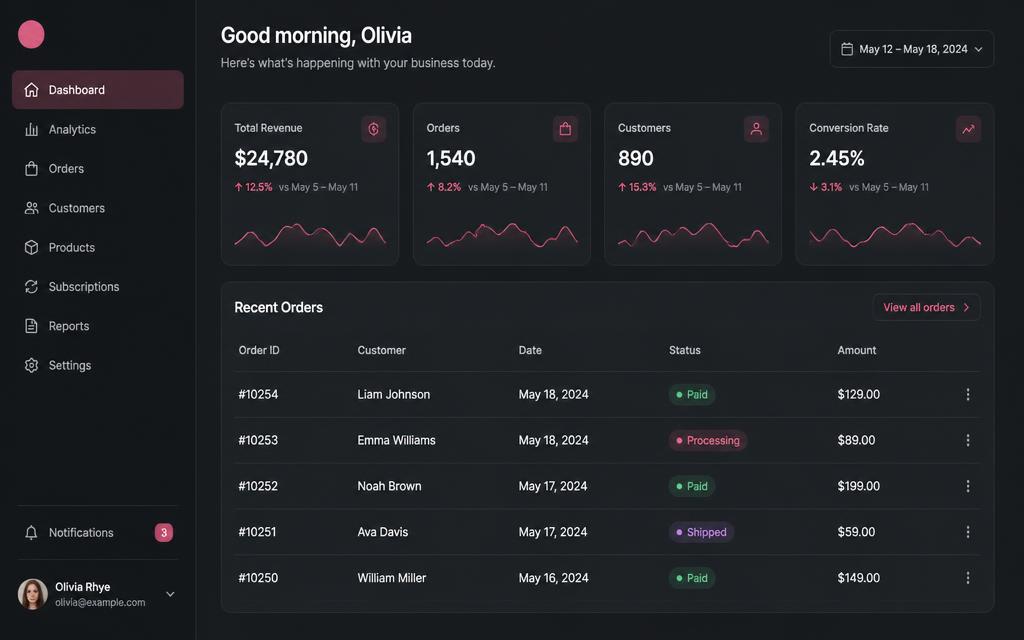
Dark SaaS dashboard mockup with a sidebar, four stat cards showing revenue, orders, customers and conversion rate, and a recent orders table

Example of what this blueprint produces. Your own build will use your content and colors.

SaaS 2 to 4 hours Database Login Payments

SaaS starter with auth and billing

Email login, a real dashboard, a free and paid tier, and a settings page you will not need to rebuild later.

Best for: Founders validating a paid product idea in a weekend

Screens

  • Landing page
  • Sign up and login
  • Dashboard
  • Billing
  • Account settings

Database tables

profilessubscriptionsusage_events

What you get

  • A dashboard that already reads real rows from your database instead of hardcoded demo numbers, so the first thing you see is your own data.
  • A working plan field on the profile, so you can gate a feature behind Pro on day one and connect a payment provider later without a rewrite.
  • Account settings that cover the boring parts people forget: avatar upload, password change and account deletion behind a confirmation dialog.

Watch out for

Ask for the profile row to be created by a database trigger on signup. If it is created in the browser after login, users who close the tab too early end up with no profile and a broken dashboard.

Credit friendly order

The first build is the expensive part. Add billing and admin as separate follow up prompts so a mistake only costs you one small fix, not a full rebuild.
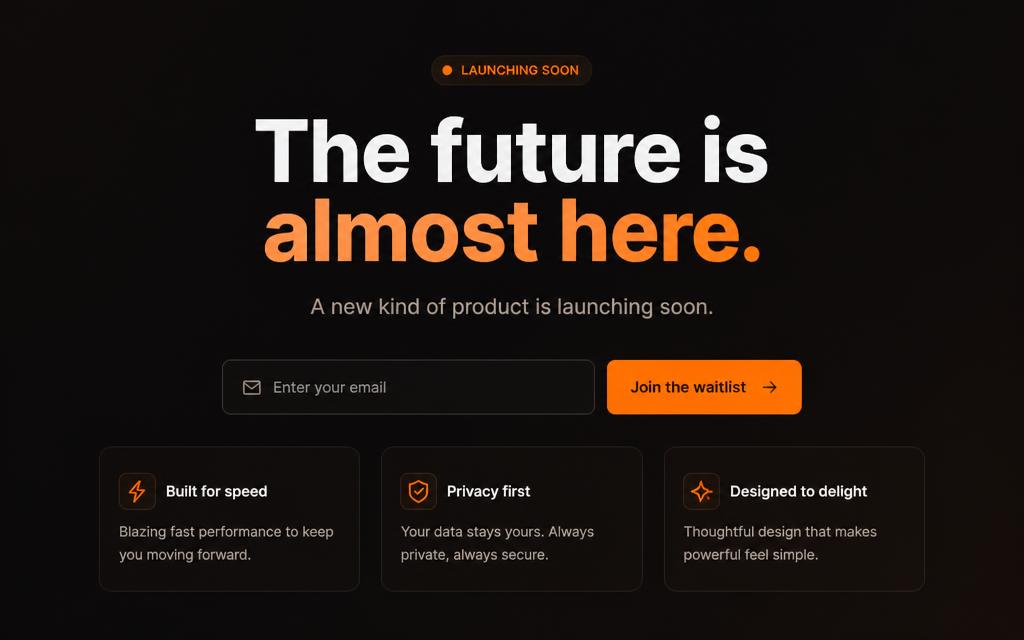
Dark launch landing page mockup with a large headline, email input and an orange Join the waitlist button above three feature cards

Example of what this blueprint produces. Your own build will use your content and colors.

Marketing 30 to 60 minutes Database

Launch landing page with waitlist

One page that explains the product, collects emails, and shows a live signup count without looking like every other AI page.

Best for: Pre launch validation before you build the product

Screens

  • Hero
  • Problem and solution
  • How it works
  • Waitlist form
  • FAQ

Database tables

waitlist_signups

What you get

  • One page that loads fast on a phone, because there is no dashboard, no login and no client side data fetching to slow it down.
  • A waitlist table that accepts anonymous inserts but blocks public reads, so nobody can scrape the email list from the browser.
  • A success state that replaces the form instead of clearing it, which is what stops the same person signing up four times.

Watch out for

Make the email column unique and handle the duplicate error with a friendly message. Without it, a second signup from the same person shows a raw database error.

Credit friendly order

This is the cheapest template on the page. Most people get it right in the first build plus one copy edit pass.

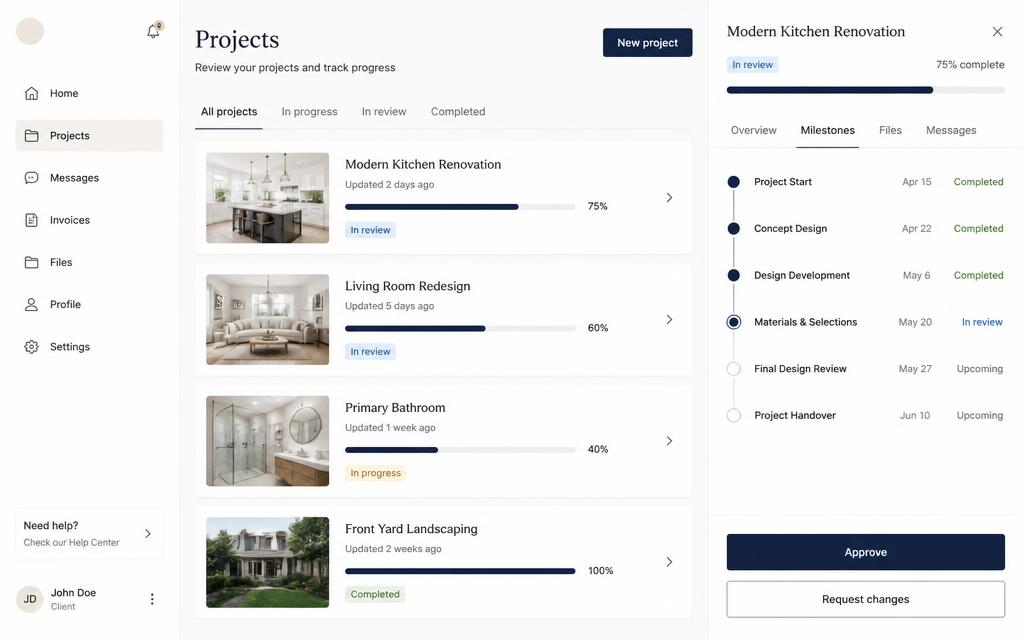
Light client portal mockup showing a project list with status badges and progress bars next to a milestone timeline with approve and request changes buttons

Example of what this blueprint produces. Your own build will use your content and colors.

Internal tool 3 to 5 hours Database Login

Client portal for a small agency

Clients log in, see their projects, approve deliverables, and stop emailing you for status updates.

Best for: Freelancers and agencies juggling five to twenty clients

Screens

  • Client dashboard
  • Project detail
  • File approvals
  • Messages
  • Admin overview

Database tables

organizationsmembershipsprojectsdeliverablescomments

What you get

  • Two clearly separated experiences in one app: a simple client view and a fuller staff view, decided by a role row rather than a checkbox on a profile.
  • An approval flow where sending something back requires a note, which is the single change that kills the endless what do you mean thread.
  • An admin overview with status filters, so you can answer where is this project without opening five tabs.

Watch out for

Test the portal while logged in as a client, not as staff. Most permission bugs in this build only show up from the weaker account.

Credit friendly order

Build the client side first, confirm the permissions, then add staff tooling. Fixing access rules after you have built both sides costs far more.

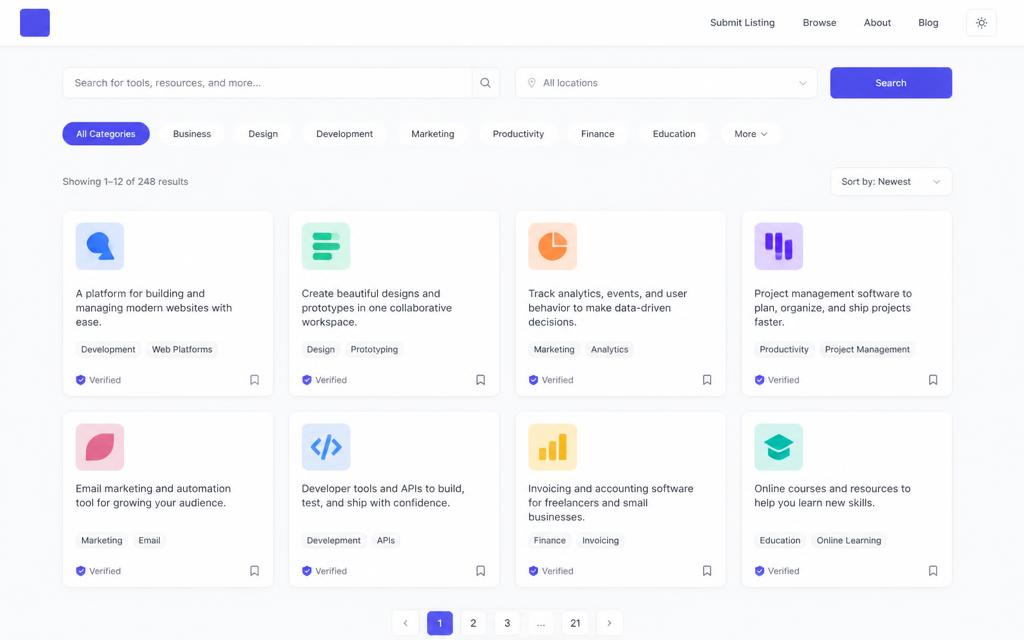
Directory website mockup with a search bar, category filter chips and a grid of listing cards with logos, descriptions and tags

Example of what this blueprint produces. Your own build will use your content and colors.

Marketplace 2 to 3 hours Database

Niche directory with search and filters

A searchable list of tools, places or people, with detail pages that can actually rank in search.

Best for: SEO projects and affiliate sites

Screens

  • Browse
  • Filters
  • Listing detail
  • Submit a listing
  • Category pages

Database tables

listingscategoriessubmissions

What you get

  • Real category and detail pages with their own titles and meta descriptions, which is the whole point if you want search traffic.
  • A published flag so you can add listings quietly and reveal them when a page is actually finished.
  • A submit form that stores pending rows, so other people can grow the directory for you.

Watch out for

Keep outbound links marked nofollow sponsored and leave the pricing field blank when you do not know the price. Invented prices are the fastest way to lose trust on a directory.

Credit friendly order

Seed only three or four listings during the build. Bulk content is data entry, not prompting, and it should not run through the model.

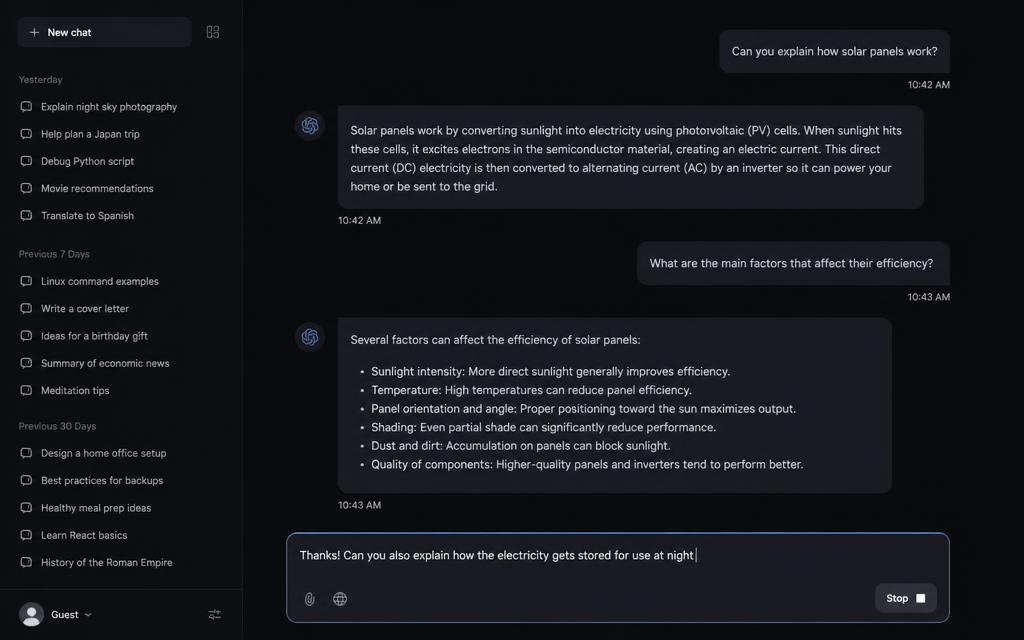
Dark AI chat app mockup with a sidebar of saved conversations, a message thread and a composer with a stop button

Example of what this blueprint produces. Your own build will use your content and colors.

AI app 1 to 2 hours Database Login

AI assistant with saved conversations

A focused chat app with streaming replies, a system prompt you control, and history that survives a refresh.

Best for: Turning one useful prompt into a product

Screens

  • Chat
  • Conversation list
  • Prompt settings

Database tables

conversationsmessages

What you get

  • Streaming replies with a stop button, so a long answer feels fast and can be cut off instead of waited out.
  • History that survives a refresh, because every message is written to the database as it happens rather than held in component state.
  • A tone setting that feeds the system prompt, which is how one prompt idea turns into something worth paying for.

Watch out for

The model call has to happen on the server. If the key ever reaches the browser, anyone can read it from the network tab and spend your credits.

Credit friendly order

Get the streaming thread working before you touch design. A pretty chat that does not stream is a much harder fix than a plain one that does.

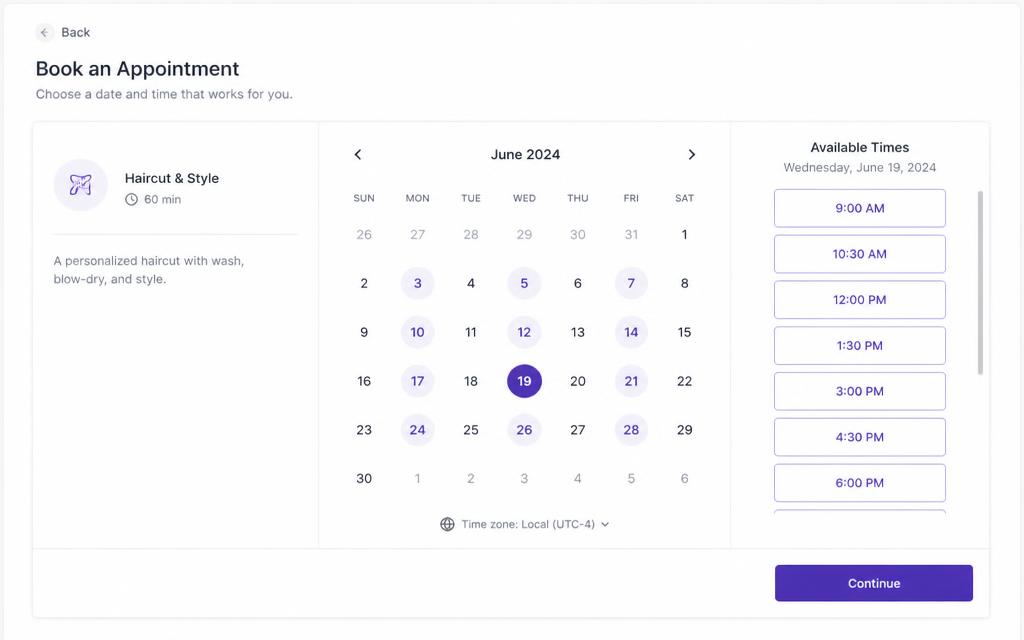
Booking page mockup with a service summary, a monthly calendar with available days highlighted and a column of bookable time slots

Example of what this blueprint produces. Your own build will use your content and colors.

SaaS 3 to 4 hours Database Login

Booking page with availability

Share one link, let people pick a slot inside your real availability, and stop trading five emails per meeting.

Best for: Coaches, tutors, barbers, consultants

Screens

  • Public booking page
  • Availability editor
  • Bookings list
  • Confirmation

Database tables

availability_rulesbookingsblackout_dates

What you get

  • Slot generation that respects your weekly rules, existing bookings and blackout dates, instead of showing every hour and failing later.
  • Times shown in the visitor timezone and stored in UTC, which is the difference between a booking tool and a support ticket generator.
  • A cancel action that frees the slot immediately so the calendar stays honest.

Watch out for

Add a unique constraint on the slot start time and show a clear message when a slot was taken while someone was filling the form. Double bookings are the failure people remember.

Credit friendly order

Timezones are where credits go. Say explicitly that all times are stored in UTC and converted for display, in the first prompt.

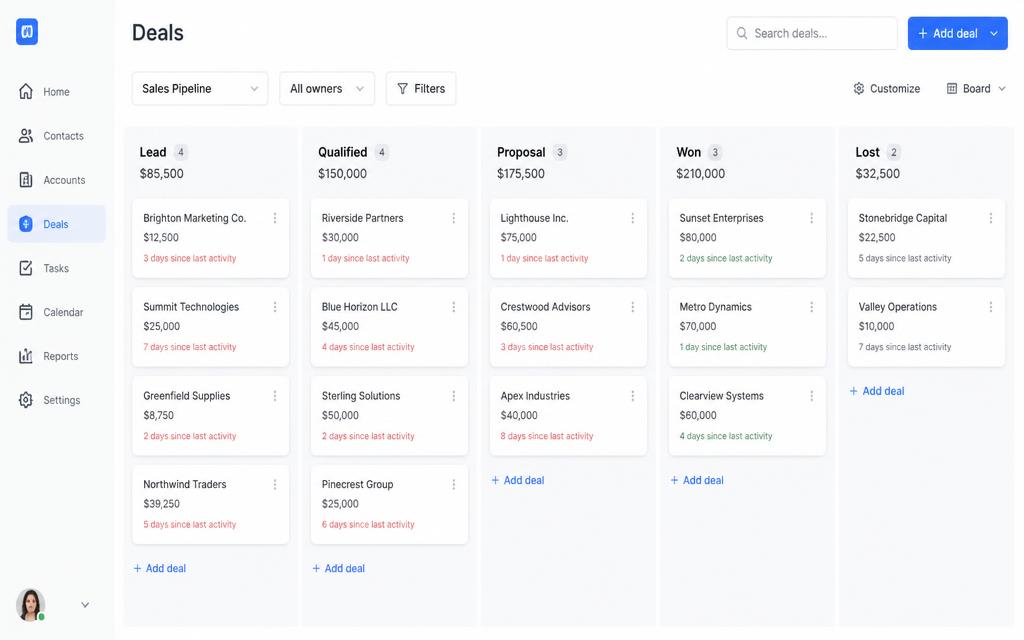
CRM pipeline board mockup with Lead, Qualified, Proposal, Won and Lost columns full of deal cards showing company, value and days since last activity

Example of what this blueprint produces. Your own build will use your content and colors.

Internal tool 3 to 4 hours Database Login

Lightweight CRM with a pipeline board

Drag deals across stages, log the last conversation, and see what is going stale, without a 40 field form.

Best for: Small sales teams that outgrew a spreadsheet

Screens

  • Pipeline board
  • Contact detail
  • Activity log
  • Reports

Database tables

contactscompaniesdealsactivities

What you get

  • A drag and drop board with optimistic updates, so moving a deal feels instant instead of waiting on a round trip.
  • A stale deal signal on the card itself, which is the one number that changes behaviour in a small sales team.
  • An activity log per contact, so the history lives next to the person and not in someone's inbox.

Watch out for

Ask for the mobile version explicitly. A kanban board on a 375px screen has to become a stacked list with a stage selector, or the app is desktop only.

Credit friendly order

Reports last. Board plus contact detail is the usable core, and reports are easy to add once the data is flowing.

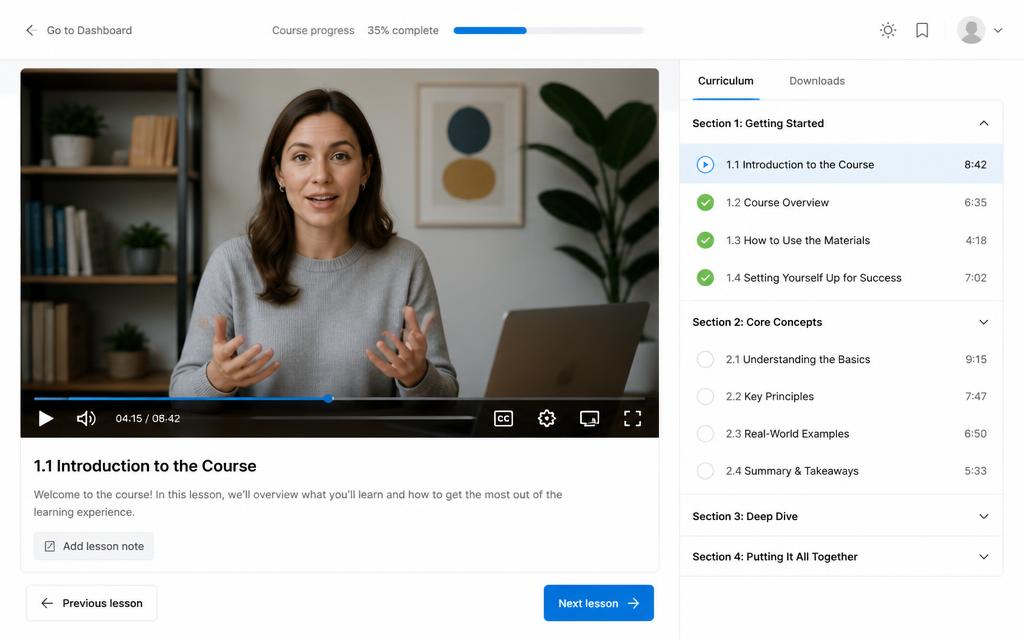
Course lesson player mockup with a video area, lesson notes and a curriculum sidebar showing completed lessons and durations

Example of what this blueprint produces. Your own build will use your content and colors.

SaaS 3 to 5 hours Database Login Payments

Mini course platform

Lessons, progress tracking, and a paid tier, so your course does not have to live in a Google Drive folder.

Best for: Creators selling knowledge

Screens

  • Course landing
  • Curriculum
  • Lesson player
  • Progress
  • Admin editor

Database tables

courseslessonsenrollmentslesson_progress

What you get

  • A lesson player with progress that updates a visible course bar, plus continue where you left off from the dashboard.
  • Free preview lessons that anyone can read and paid lessons that only enrolled students can, enforced at the database level.
  • A drag and drop curriculum editor, so reordering a module does not mean editing sort numbers by hand.

Watch out for

Do not let the app decide access in the browser. If the paywall is only a hidden component, the lesson content is still in the page source.

Credit friendly order

Use a price field you set yourself and keep the button as Enroll until payments are connected. Do not ask the model to invent a price.

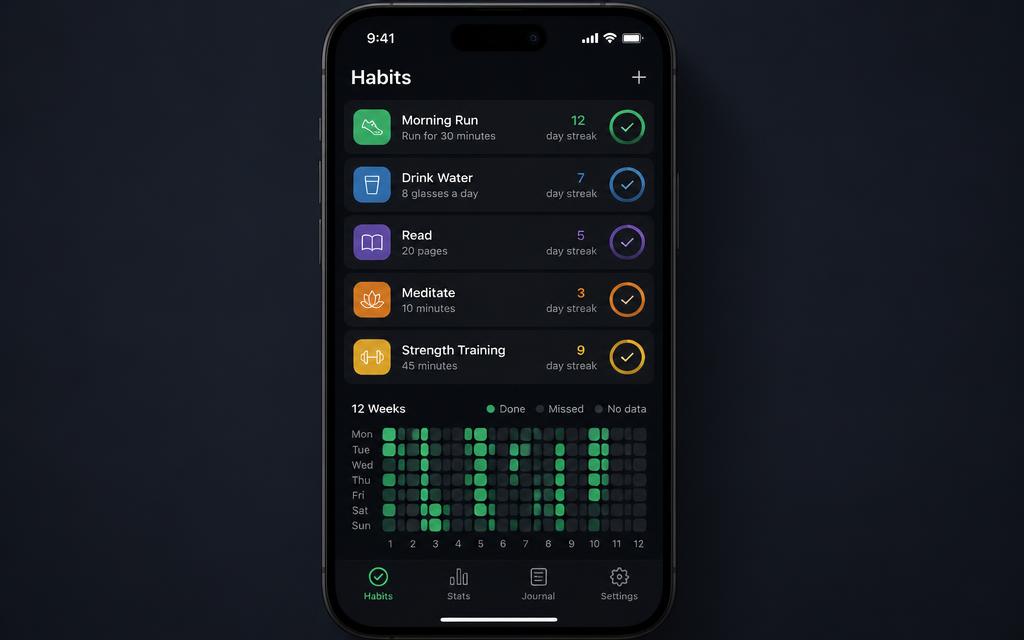
Habit tracker app mockup on a phone showing habits with colored icons, day streaks, large check buttons and a twelve week completion heatmap

Example of what this blueprint produces. Your own build will use your content and colors.

SaaS 45 to 90 minutes Database Login

Habit tracker with streaks

A small daily app that is genuinely satisfying to use, and the best first build for learning Lovable.

Best for: Your first real app with a database and login

Screens

  • Today
  • Habit detail
  • Calendar heatmap
  • Settings

Database tables

habitshabit_entries

What you get

  • One entry per habit per day, enforced by a unique constraint, so a double tap removes the entry instead of creating a duplicate.
  • Streaks calculated from the user local date, which is why the app does not reset at midnight UTC in the middle of someone's evening.
  • A heatmap that makes progress obvious at a glance and gives you a reason to open the app tomorrow.

Watch out for

Say local date explicitly in the prompt. Local versus UTC is the single most common bug in every daily tracking app.

Credit friendly order

Best first build on this page. Small enough to finish in one sitting, real enough to teach you database rules and login.

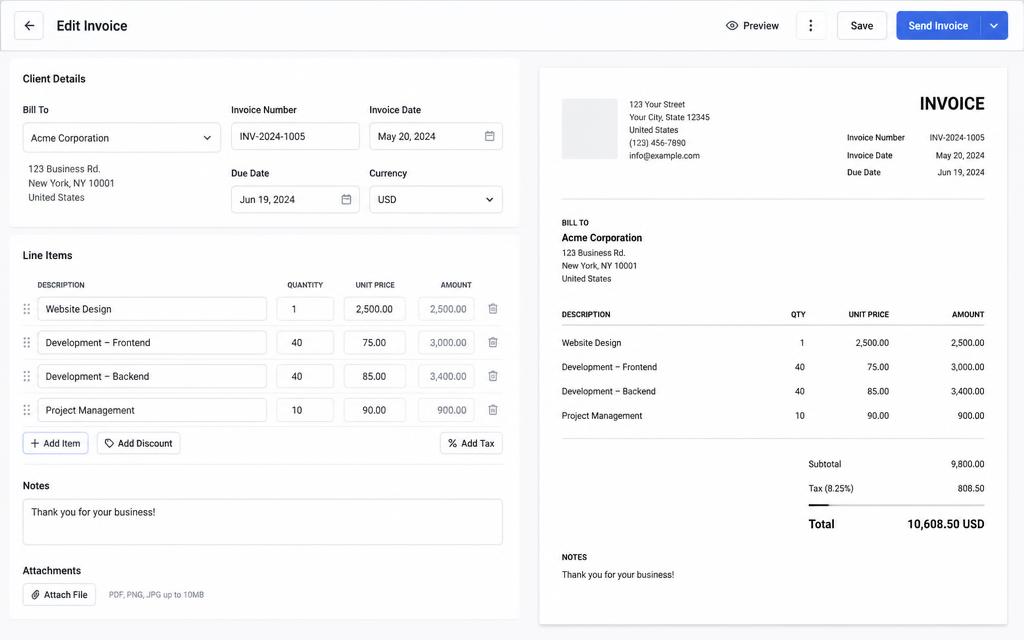
Invoice editor mockup with client fields and a line items table on the left and a print ready invoice preview with subtotal, tax and total on the right

Example of what this blueprint produces. Your own build will use your content and colors.

Internal tool 2 to 3 hours Database Login

Invoice generator with PDF export

Create an invoice in a minute, save clients for next time, and export a clean PDF that does not look homemade.

Best for: Freelancers who hate invoicing

Screens

  • Invoice list
  • Invoice editor
  • Client book
  • PDF preview

Database tables

clientsinvoicesinvoice_items

What you get

  • Live totals with tax, discount and currency, calculated in the smallest currency unit so rounding never drifts by a cent.
  • Invoice numbers that increment per user and never repeat, which is what your accountant actually cares about.
  • A print stylesheet, so the PDF export looks intentional rather than like a screenshot of a web page.

Watch out for

Lock line items once an invoice is marked sent and require an explicit duplicate to edit. Editing a sent invoice in place is how numbers stop matching what the client received.

Credit friendly order

Get the editor and totals correct before asking for the PDF. Export bugs are much easier to spot when the math is already trustworthy.

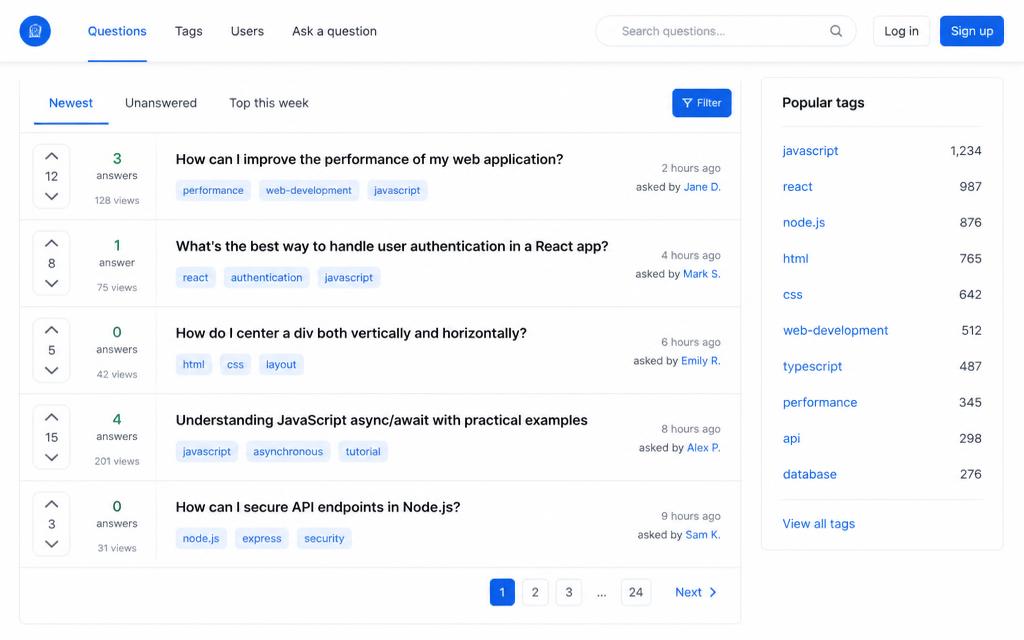
Community question board mockup with Newest, Unanswered and Top this week tabs, question rows with vote and answer counts, and a popular tags sidebar

Example of what this blueprint produces. Your own build will use your content and colors.

Community 2 to 4 hours Database Login

Community question board

Ask, answer, upvote, and mark a best answer, with moderation that keeps the place readable.

Best for: Building an audience around a niche

Screens

  • Feed
  • Question detail
  • Ask form
  • Tag pages
  • Moderation queue

Database tables

questionsanswersvotestagsreports

What you get

  • An unanswered tab, which is the tab that keeps a small community alive in its first month.
  • Votes with a unique constraint per user and target, so nobody can upvote the same answer twenty times.
  • A moderation queue behind a role stored in its own table and checked with a security definer function.

Watch out for

Roles never belong on the profile row. If a user can update their own profile, a role column there means anyone can make themselves a moderator.

Credit friendly order

Feed, question page and asking come first. Reputation and notifications are follow ups that only matter once people are posting.

Editorial portfolio website mockup with a large serif headline and three project cards with abstract artwork and short outcome lines

Example of what this blueprint produces. Your own build will use your content and colors.

Marketing 1 to 2 hours

Portfolio with real case studies

A portfolio built around outcomes instead of screenshots, with case study pages that read like proof.

Best for: Designers, developers and consultants who want inbound leads

Screens

  • Home
  • Work index
  • Case study
  • About
  • Contact

Backend

None needed. This one is content only, so it stays fast and cheap to build.

What you get

  • Case study pages with a fixed structure, so every project reads as proof instead of a screenshot dump.
  • Copy in typed data files, which means you can edit text later without touching layout or asking for a rebuild.
  • Per page titles, descriptions and one H1 each, so the work pages can actually rank for your name and your niche.

Watch out for

Leave outcome numbers as clearly marked placeholders until a client confirms them. Invented results are the one thing that ends an inbound conversation.

Credit friendly order

No database, no login, no payments. This is the fastest and cheapest build here, and usually done inside the free plan.

How to write your own template prompt

Every prompt above follows the same five part shape. Copy the shape and you can turn any idea into a template that builds cleanly the first time.

  1. 1. Name the app and the audience in one sentence

    One line about who uses it and the job it does. This is what keeps the copy on the page from turning into filler.

  2. 2. List the screens in order

    Number them and describe what is on each one. If you cannot list the screens, you are not ready to prompt yet.

  3. 3. Describe the data as tables and fields

    Name the tables, the important fields, and who is allowed to read and write each row. This is the part most people skip, and it is the part that causes permission errors later.

  4. 4. State the rules and the edge cases

    Unique constraints, timezone handling, what happens on an empty list, what happens on error. Rules stop the rebuild loop.

  5. 5. Add design and quality constraints

    One accent color, mobile first, real content only, descriptive alt text, no invented numbers. Constraints are how you avoid the generic AI look.

Still deciding which tool to build in? Compare the options in best vibe coding tools and Lovable alternatives.

Pick one template and ship it this week

The free plan is enough to build and publish any of these. Start with the habit tracker if it is your first app, or the SaaS starter if you already know what you are selling.